What's inside
Thirteen tabs, one media engine
Video panel
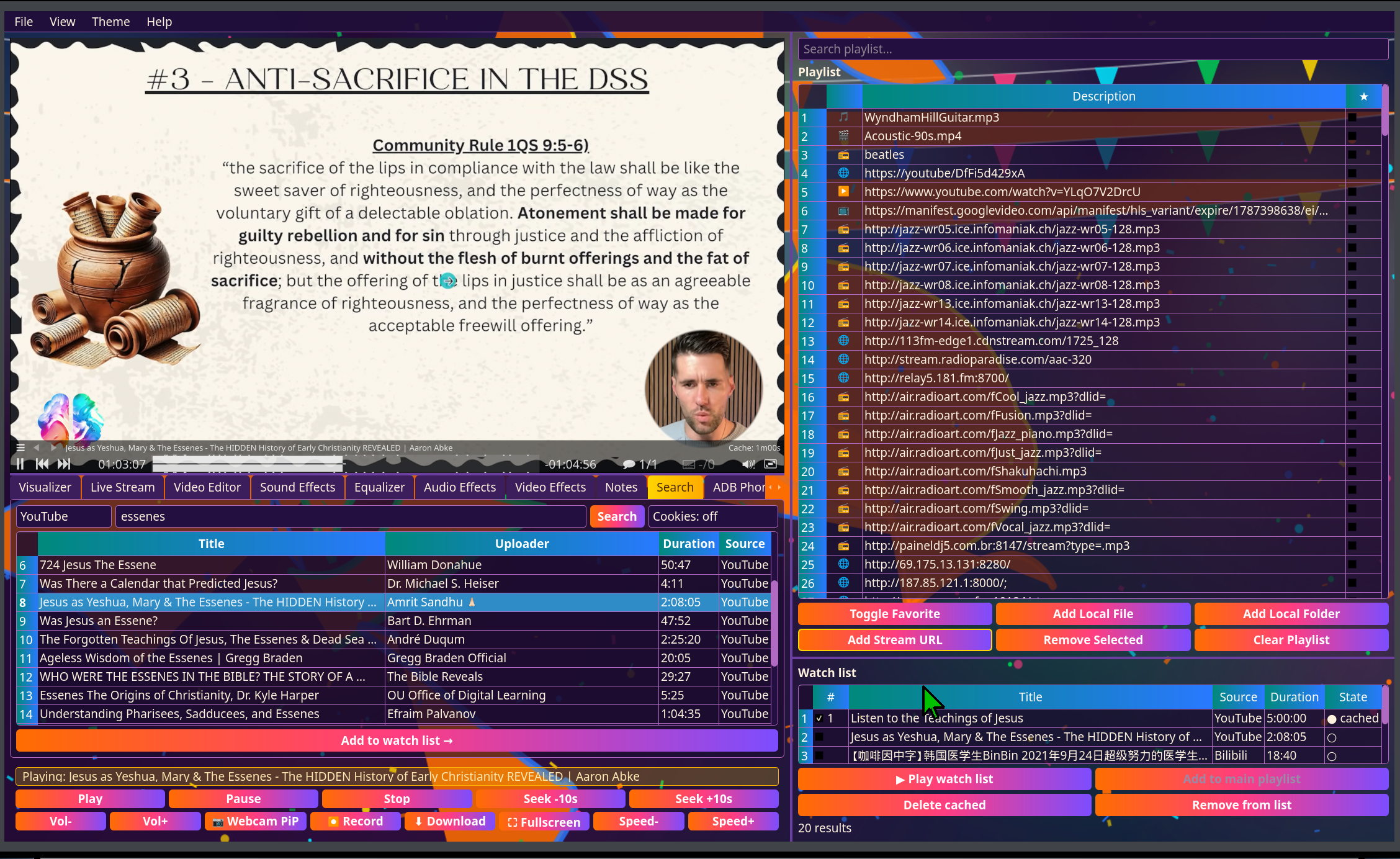
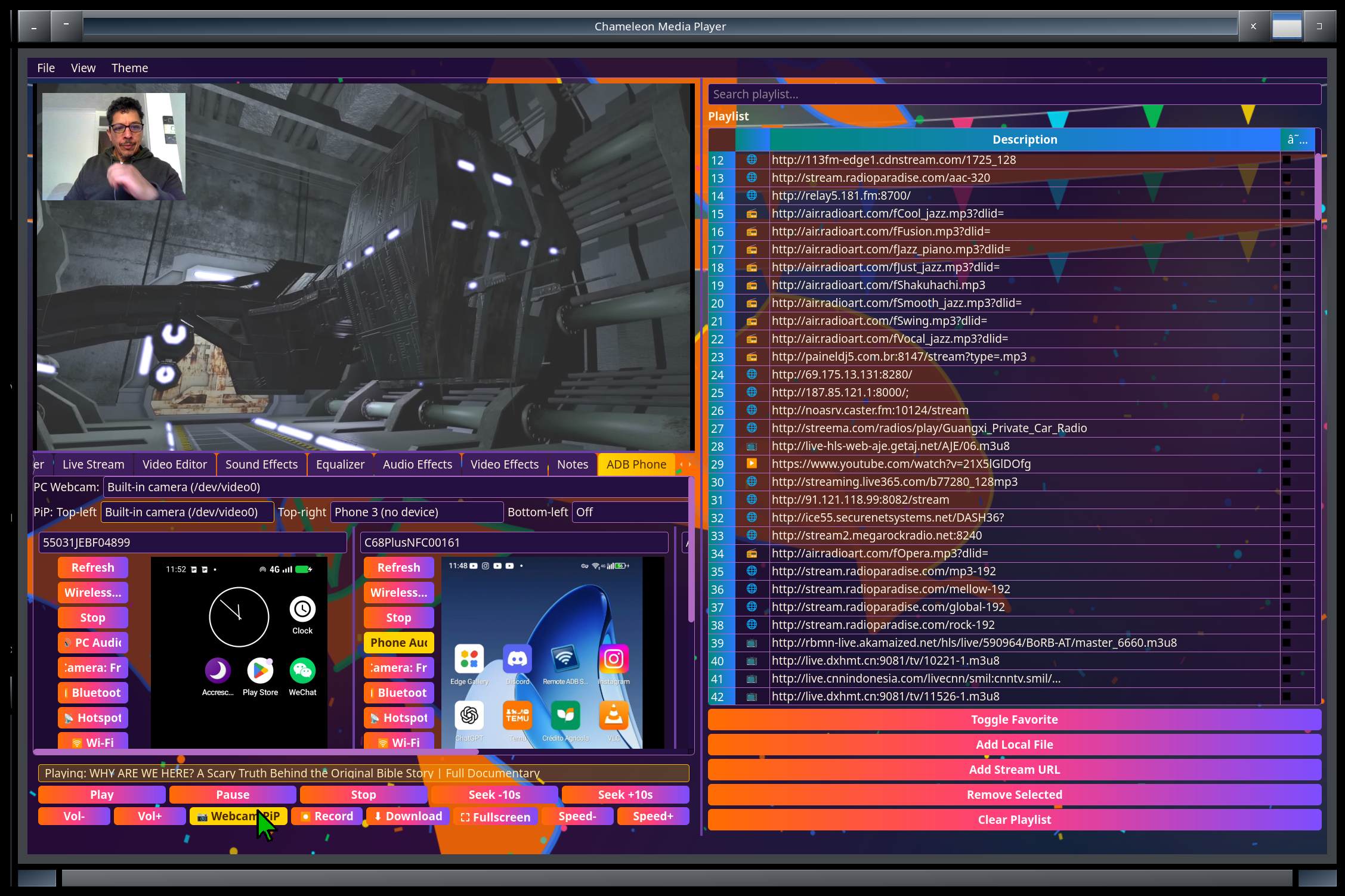
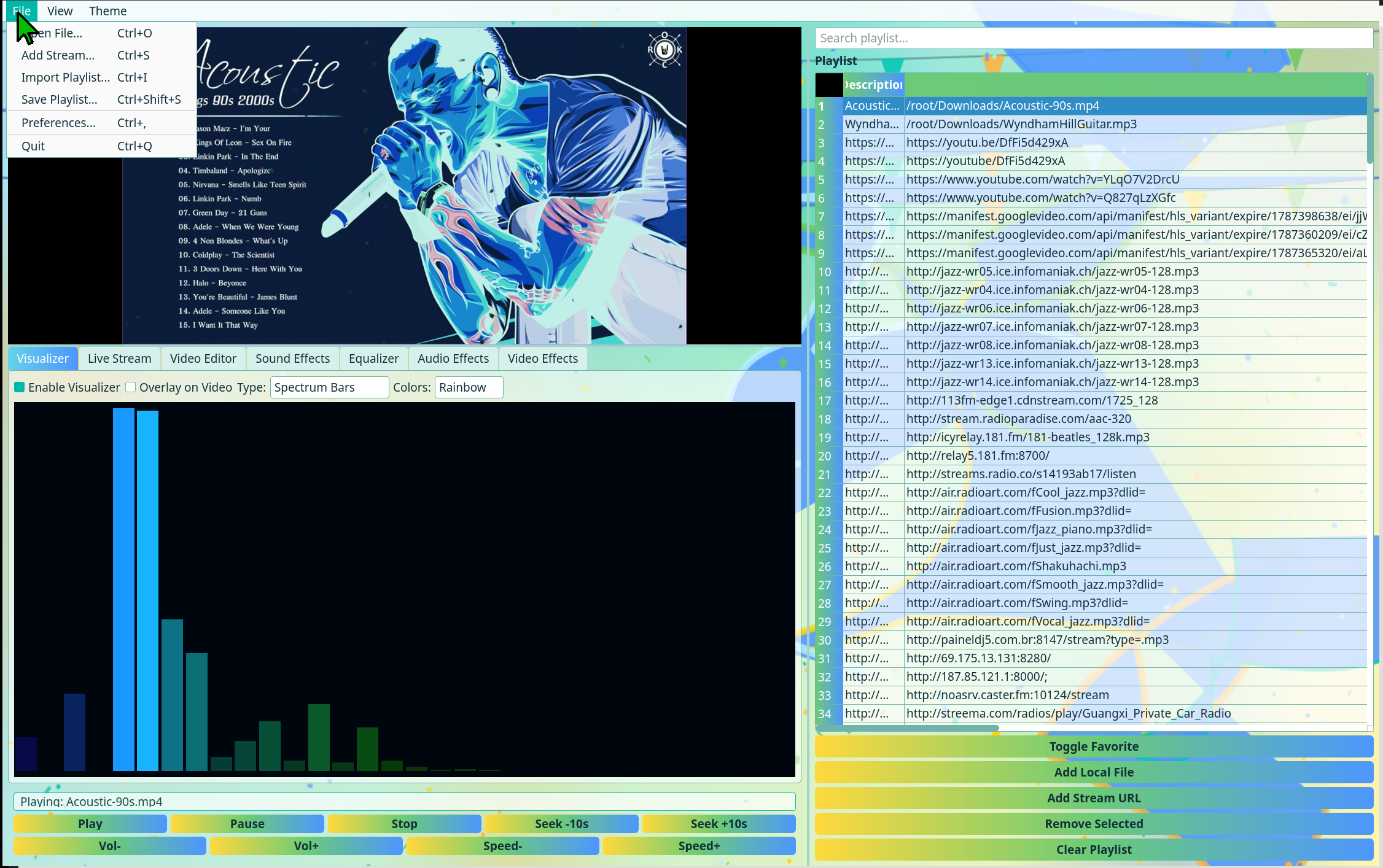
Playback powered by mpv — wide format support, smooth seeking, a one-click fullscreen toggle (or F11), automatic recovery if the player process ever dies unexpectedly, and it remembers whichever audio output device you last picked across restarts instead of resetting to a default. A low-latency picture-in-picture overlay puts up to four cameras — the built-in webcam or any phone — in the corners of whatever's playing. Record a playing stream, or download what's playing, with one key. On Intel graphics it decodes H.264, HEVC, VP9 and AV1 on the GPU — around 40% less CPU for smoother playback and longer battery life — and falls back to software automatically for anything the GPU can't handle.
Playlist
Drag-and-drop reordering, queue management, playlist import and save, and restore a deleted playlist from the trash. Add a single file or a whole folder, subfolders included. Entries whose file isn't there — a USB drive that isn't plugged in, a cached video you cleaned up — grey out until it's back, and a cleaned-up video re-downloads with a double-click.
Swappable panels
Put the video where you need it. View → Video ⇄ Playlist (Ctrl+Shift+P) moves the video to the top of the right-hand column and the playlist to the left, where it can be collapsed so the ADB phones get the left column's full height; Video ⇄ Watch List (Ctrl+Shift+W) puts the video under the playlist instead. Playback carries straight on through a swap, the layout you pick is remembered, and fullscreen works in every layout.
Search & watch cache
Search YouTube or Bilibili, list a TikTok creator's latest videos, or paste a TikTok, Instagram, Facebook, Snapchat Spotlight or Douyin link. Queue results in a numbered watch list under the playlist. Whatever you watch is kept on disk as you watch it — no separate download — so the next viewing plays from the local copy, and a partly watched video shows how much is saved and fills in the rest next time. Move saved videos to the main playlist, and pick which ones to keep or delete when you close the app. Optional browser cookies get past "confirm you're not a bot" and sign-in walls. Tick Shrink downloads and each finished download or recording is re-encoded on the GPU to HEVC at up to 720p — typically about a third of the original size — keeping the original if the result wouldn't be smaller.
DVB TV
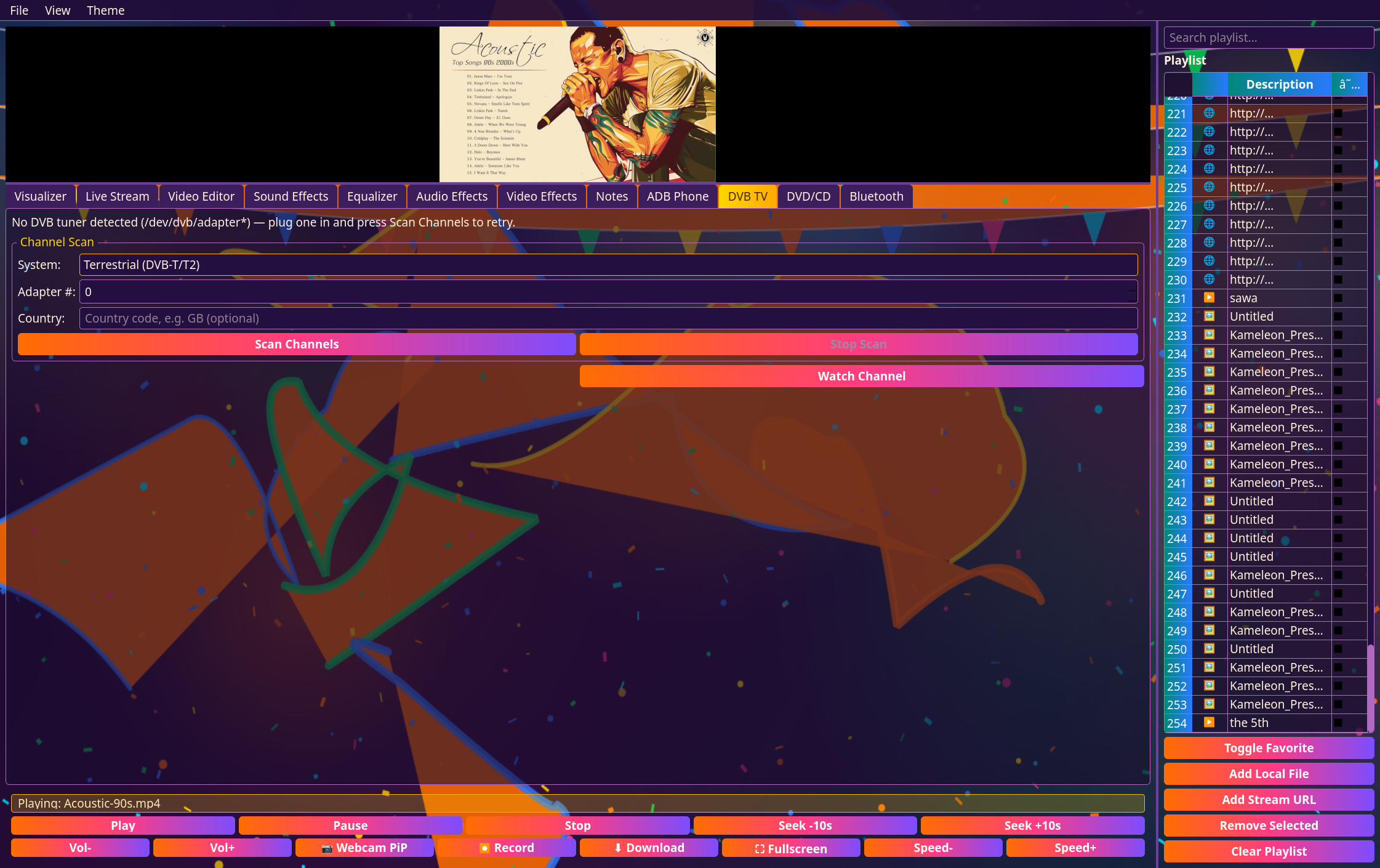
Scan and watch real digital TV — DVB-T/T2, DVB-C, DVB-S/S2 and ATSC — straight from a USB or PCI tuner.
DVD / CD / Blu-ray
Detects what's in the optical drive automatically and plays DVD-Video, Blu-ray or Audio CD tracks — no separate disc software needed.
BT/USB audio
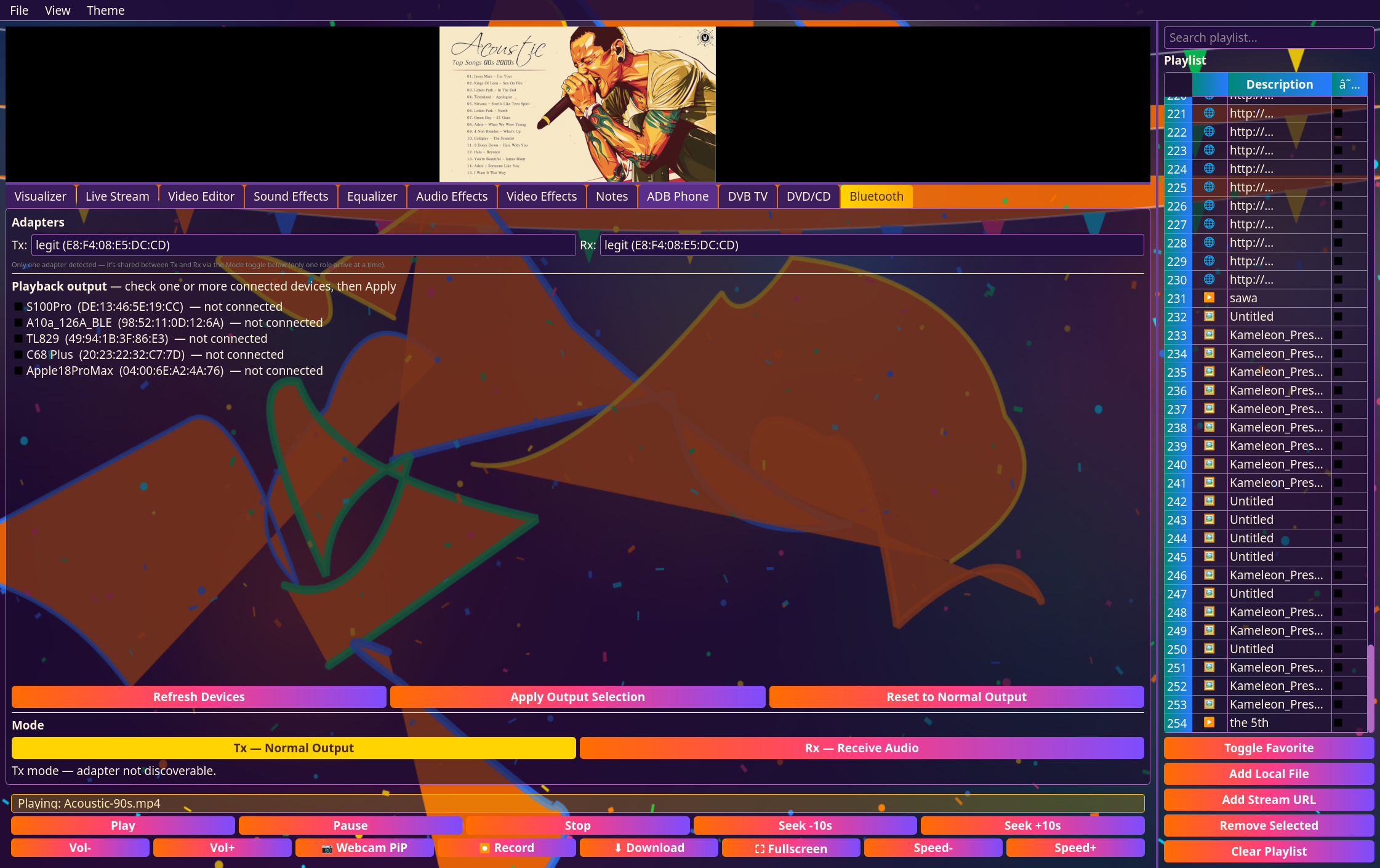
Route playback to one or several Bluetooth speakers at once (PulseAudio combine-sink), flip the adapter into receive mode so the PC itself becomes a Bluetooth speaker, or loop in any other PulseAudio capture source — a USB turntable, MiniDisc deck, DJ mixer/controller, or audio interface — straight into playback and the Visualizer, all from one Input Sources checklist.
ADB Phone — up to 16 at once
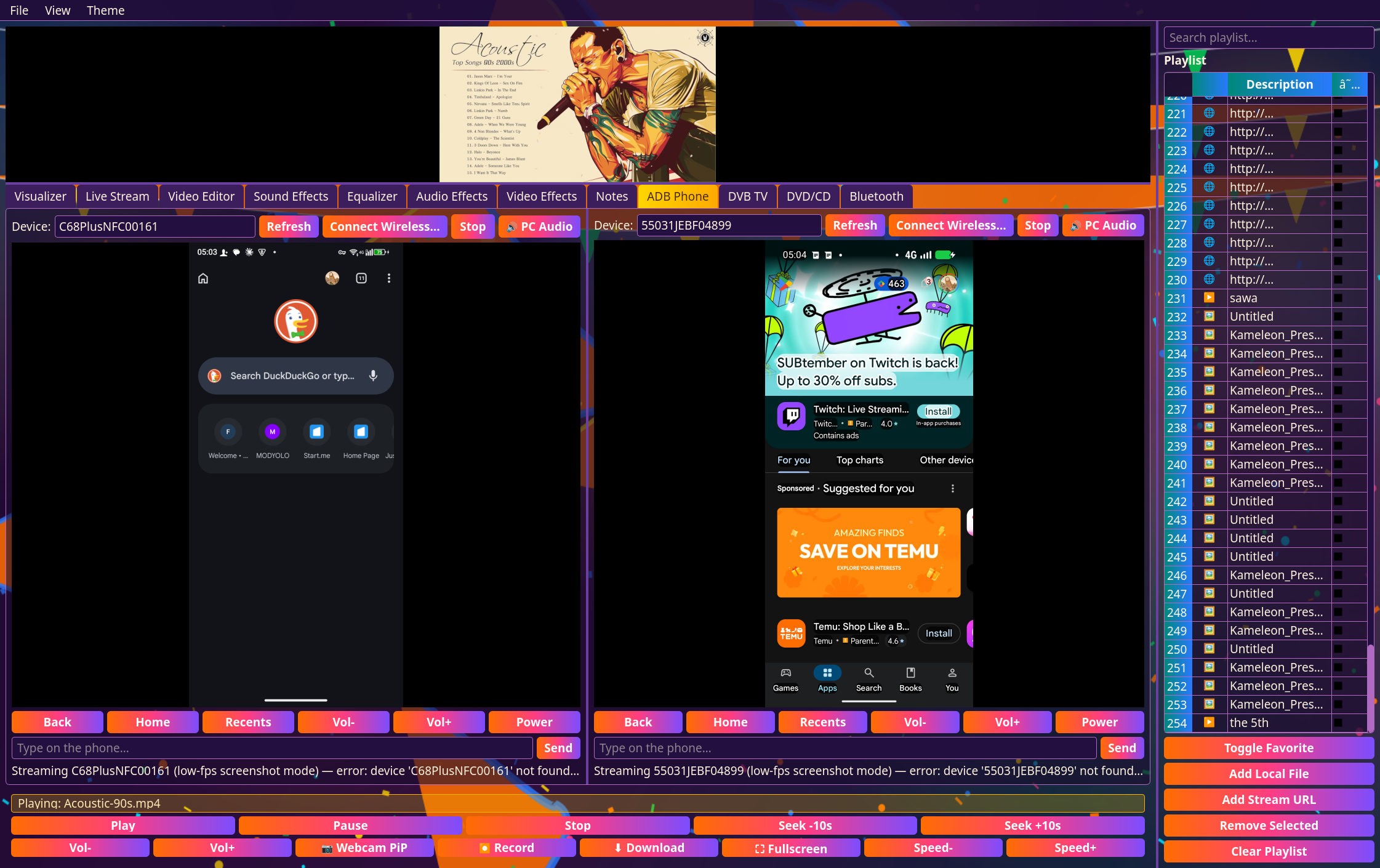
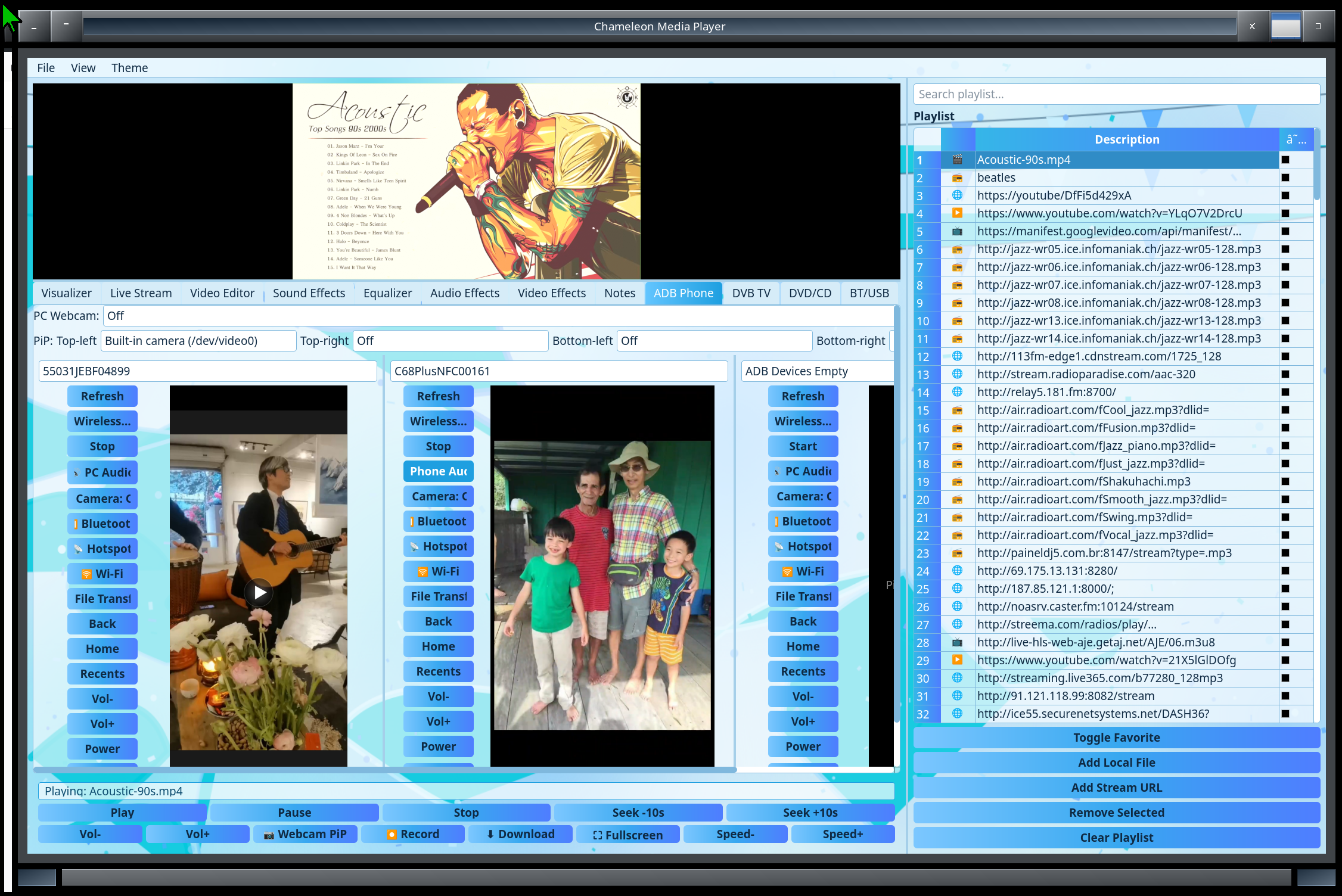
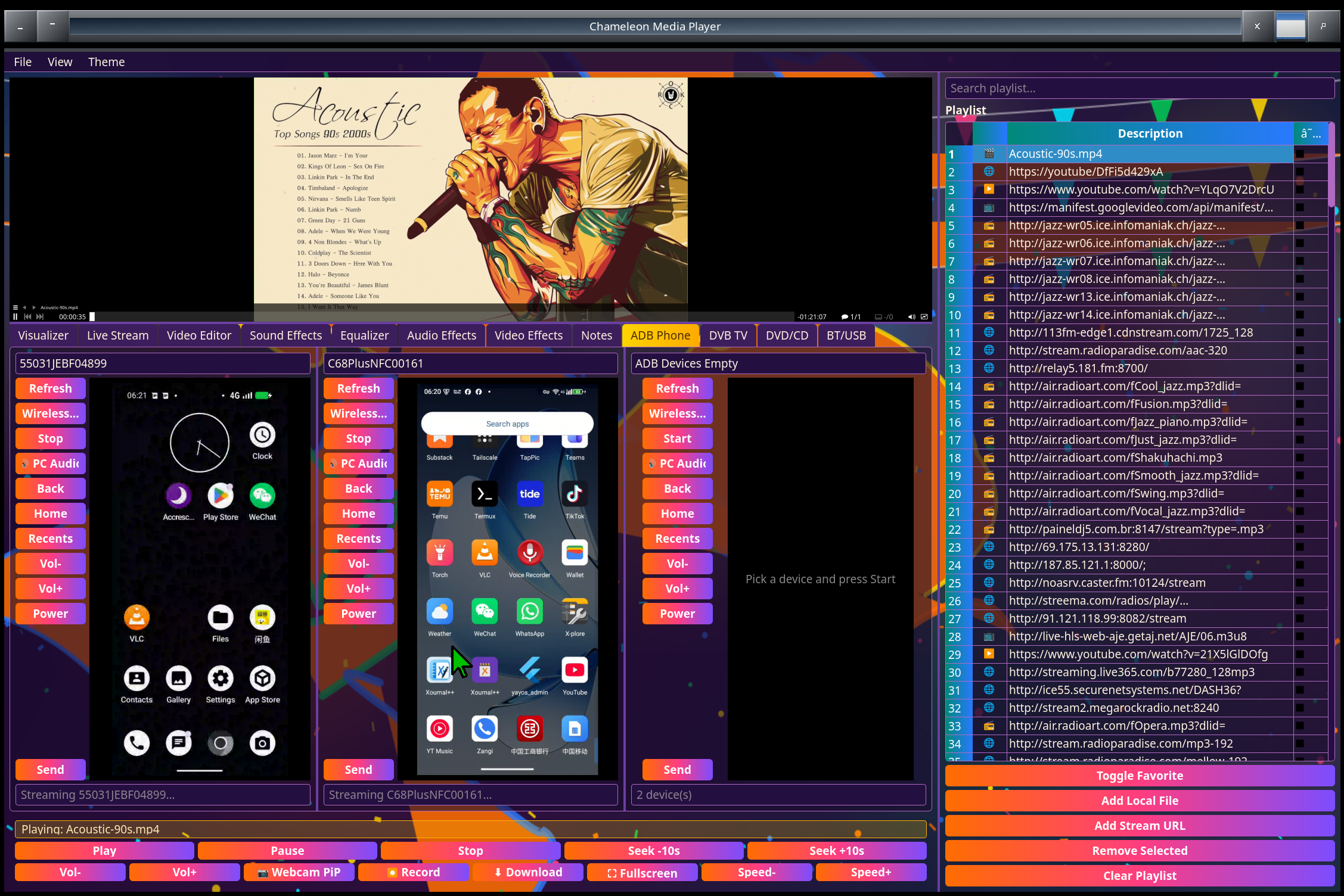
A grid of 1–16 independent panels in as many columns as you like — mirror and control that many Android phones simultaneously, each with its own screen, audio routing and input. Pinch (this box has a touchscreen) or scroll-wheel to zoom into any phone's screen, Shift+drag to pan. Tap, swipe and type directly with mouse, stylus, touch or your physical keyboard — a persistent per-device shell keeps every input real-time instead of paying a fresh connection cost per keystroke. One-click "Connect Wireless" switches a USB-connected phone to adb-over-wifi automatically, or pair over Wi-Fi by scanning the phone's pairing QR code. Push and pull files to any phone, and a dozing phone is woken before streaming starts. The mirror runs with low latency — the phone's screen is decoded and scaled on the GPU where available — and each panel has an A/V sync control that holds the phone's PC audio back by just the right number of milliseconds, so sound and picture line up. Screen Off blanks the phone's own display while you keep watching and controlling it from the PC, and closing the app cleanly returns every phone's audio and screen to normal.
Virtual cameras
A "CMC PC Webcam" device that any video-call app, browser or OBS can pick — feed it the built-in camera or any connected phone's camera, and switch sources mid-call without the app losing the device. Each phone panel also gets its own virtual camera.
Live Stream
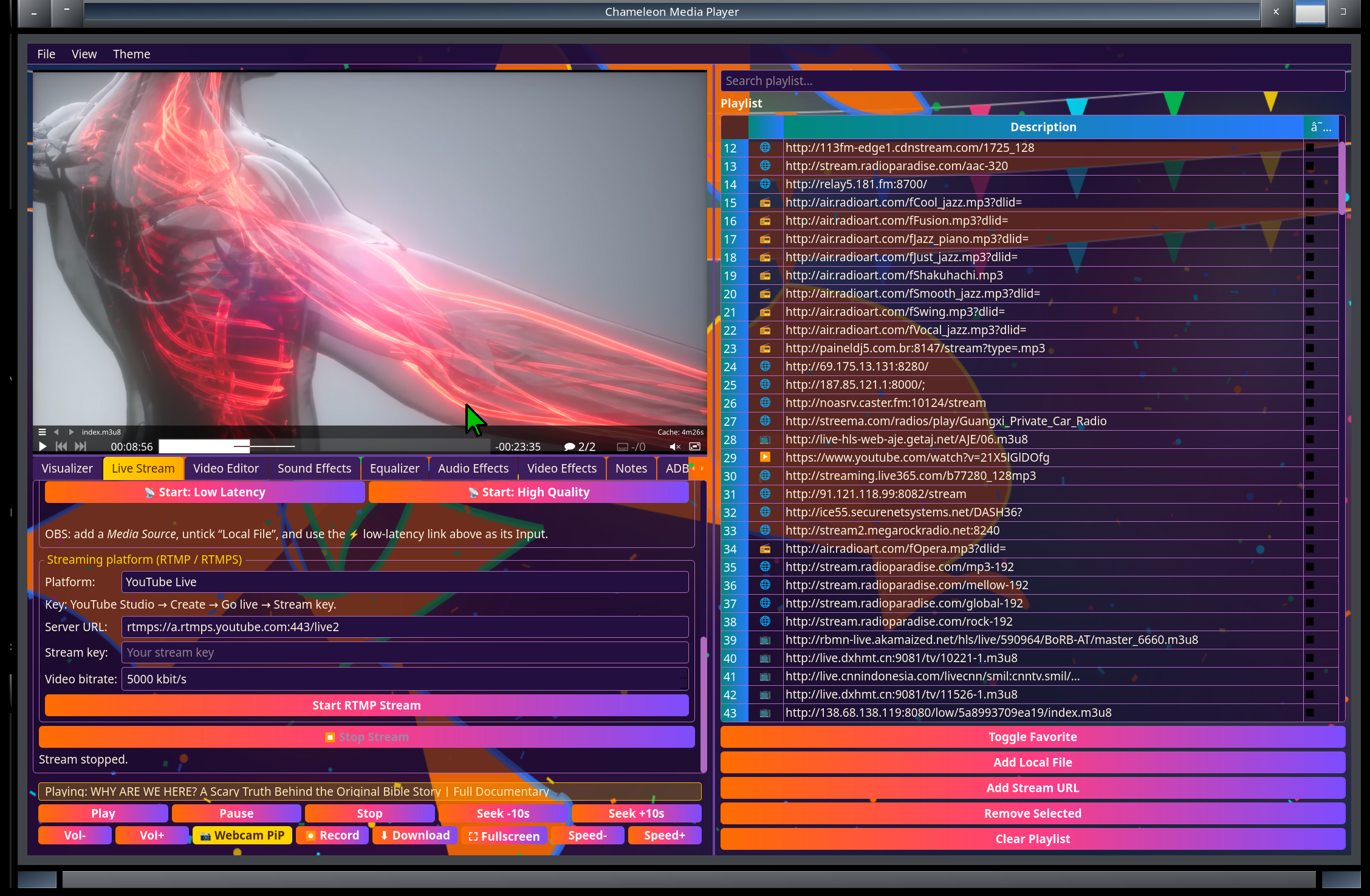
Stream a camera or the video panel to any browser on your LAN or Tailscale (HLS player page) plus a low-latency feed for TrXi-Ctrl, VLC or mpv — many viewers from one encode — or push it to YouTube Live, Facebook Live, Twitch, WeChat Channels or any RTMP server. On Intel graphics the stream is encoded on the GPU instead of the CPU.
Share & discover
CMCs on the same network find each other automatically, and a group code shares your playlist — local files included — with other CMCs.
Sound Effects
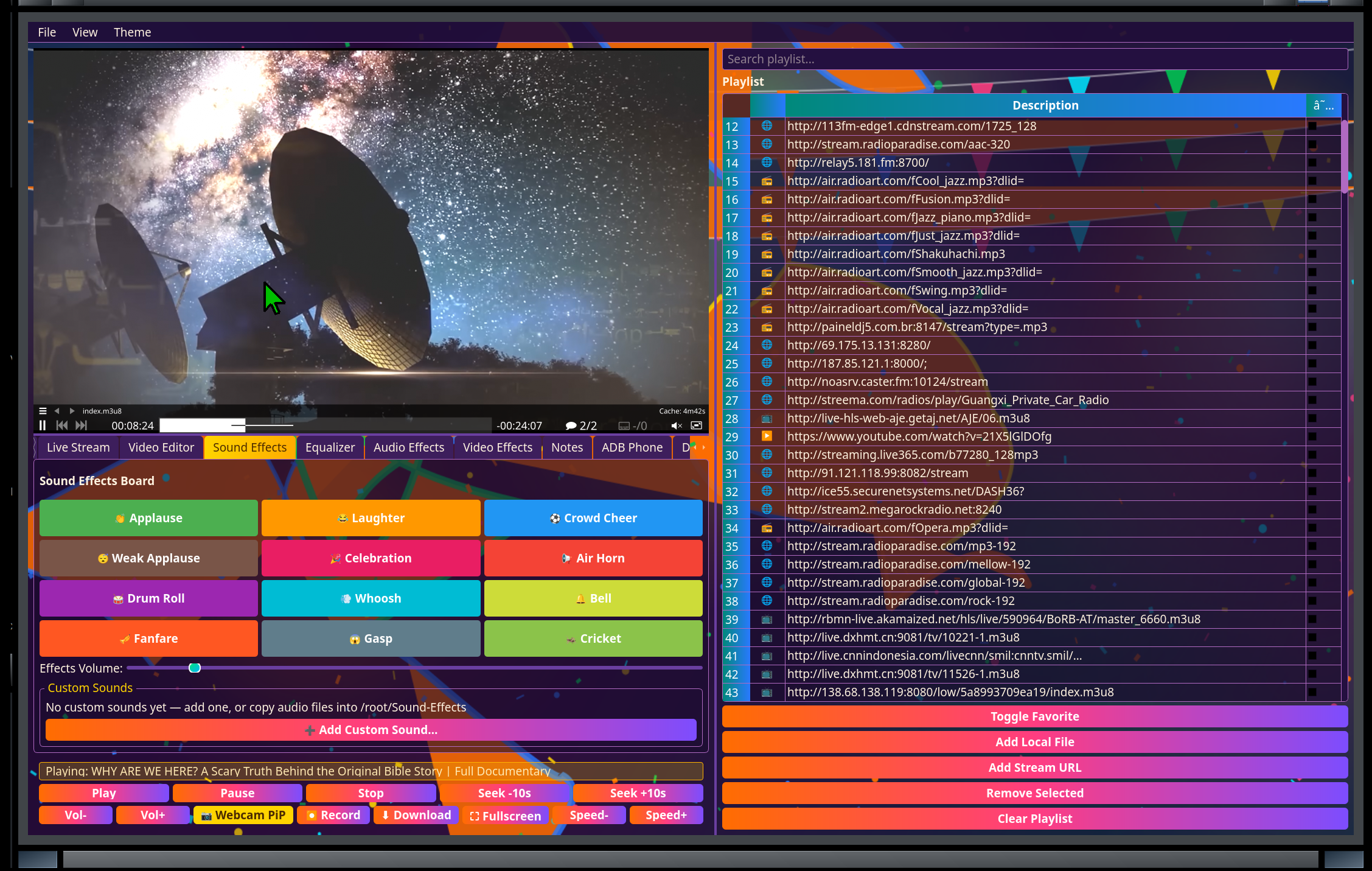
A soundboard for on-the-fly audio cues while you play or stream, including the football kicks, goal cheers and crowd sound the games use.
Visualizer
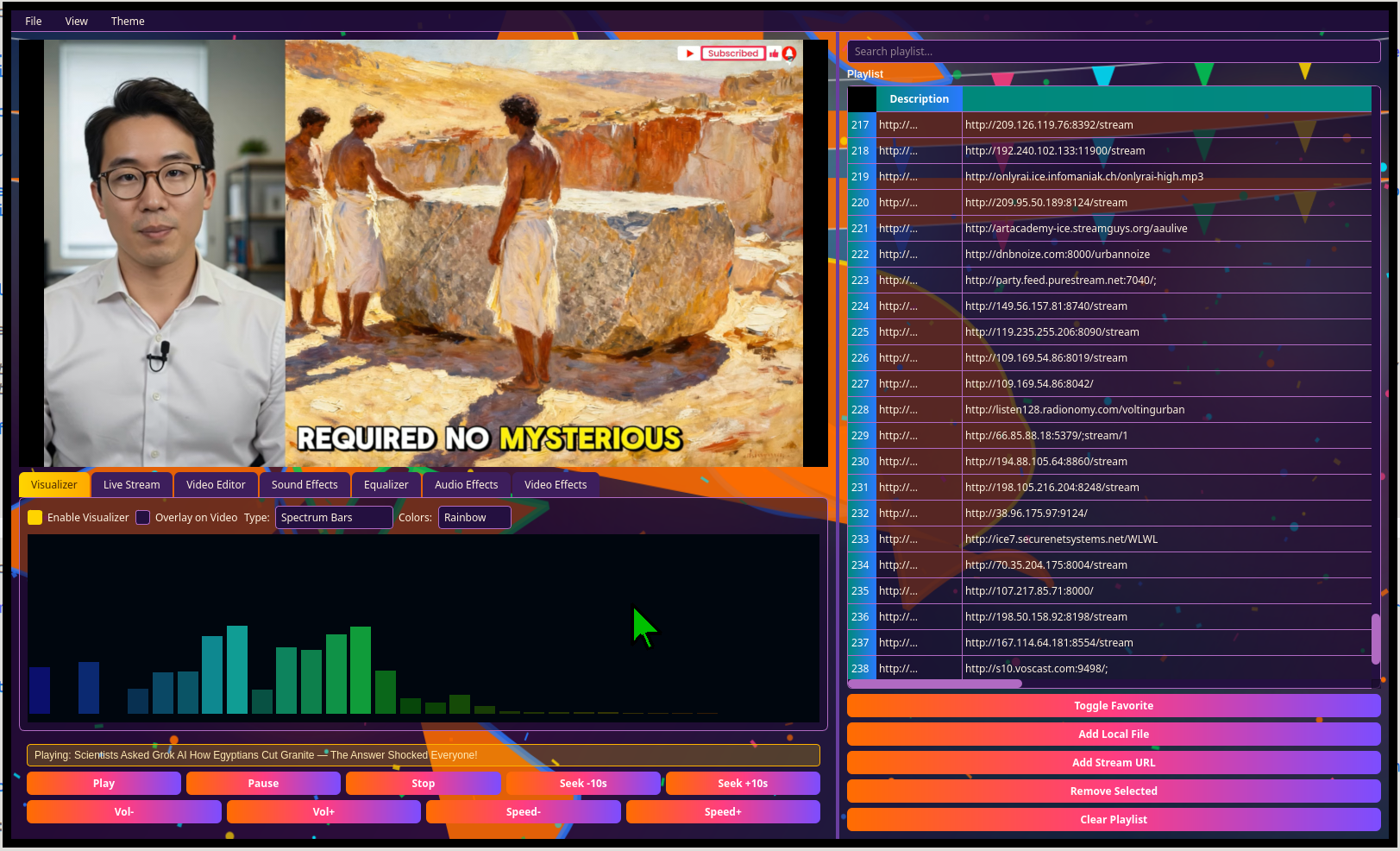
Real-time audio-reactive visuals for anything currently playing.
Video editor
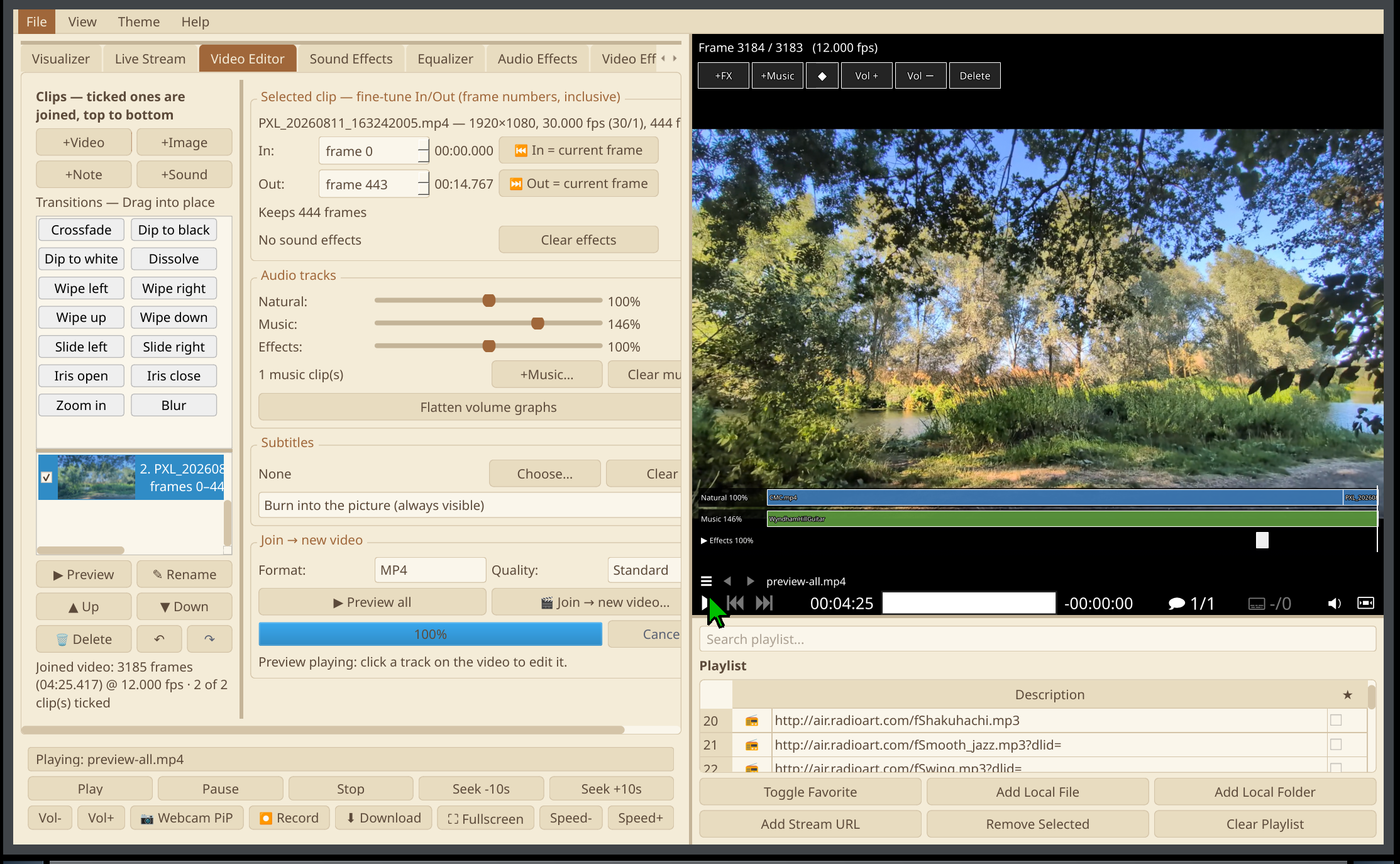
A frame-accurate video editor: set In and Out by frame number or from the playing frame, then cut (keep a section, or remove it and join the rest). Add videos, images, title cards from Notes and sounds, and drag them into order with fourteen transitions — crossfade, dip to black or white, dissolve, wipes, slides, iris, zoom and blur. Mix three audio tracks — the clips' own sound, music and sound effects — each with its own volume and a volume graph you shape right on the preview. Subtitles burned in or switchable; undo and redo; export runs in the background on the GPU's hardware encoder where available.
Schedule
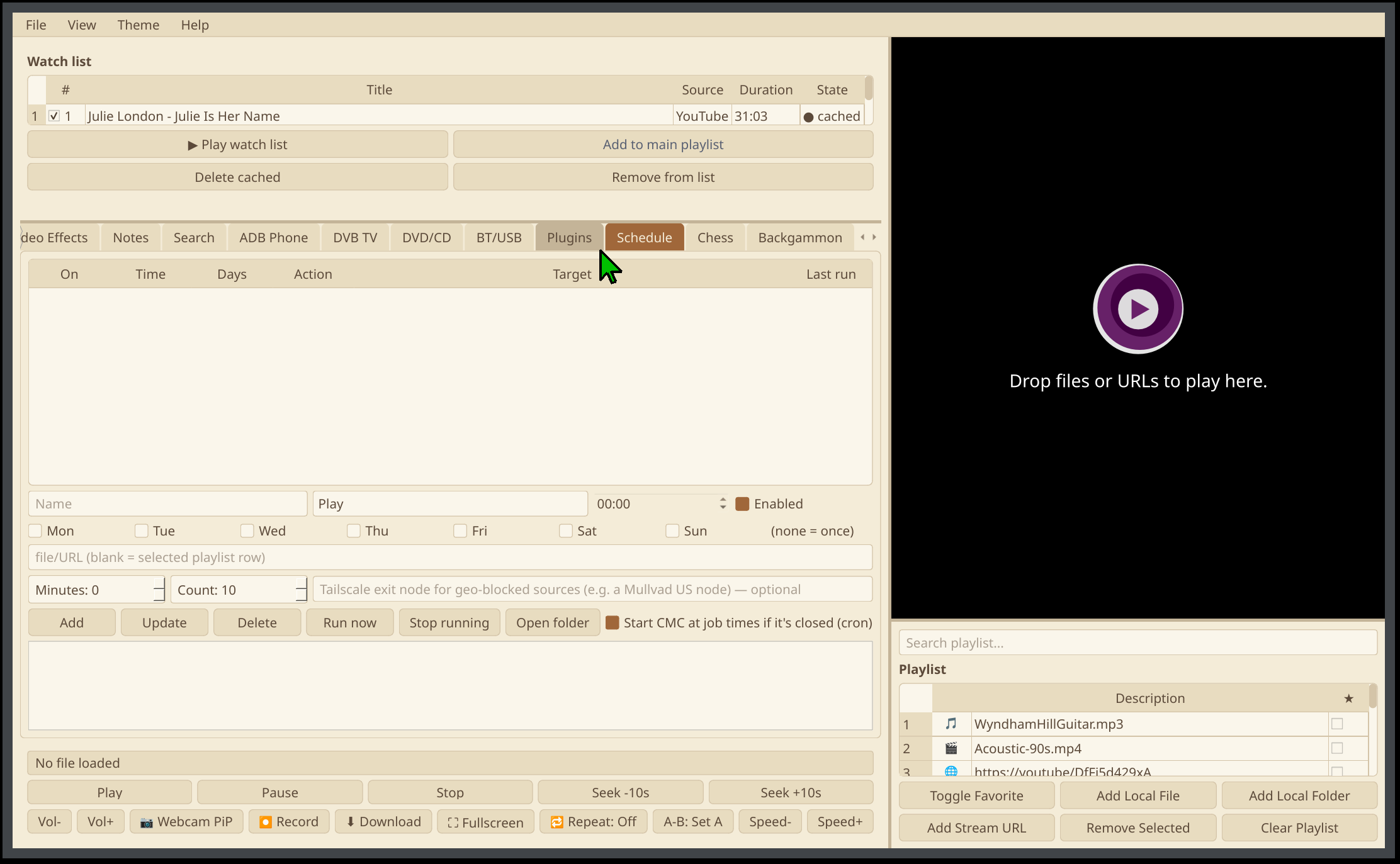
Set jobs for a time and days of the week, or once: play a file or stream, stop, record a stream or DVB channel for so many minutes, grab the top results of a YouTube search, download only the new videos from a channel or playlist, record the webcam only when something moves (with a few seconds before and after each event), or run any command. Jobs run while CMC is open, and CMC can start itself at job times when it's closed. Each job can go through a Tailscale exit node, for sources only available in another country.
Plugins
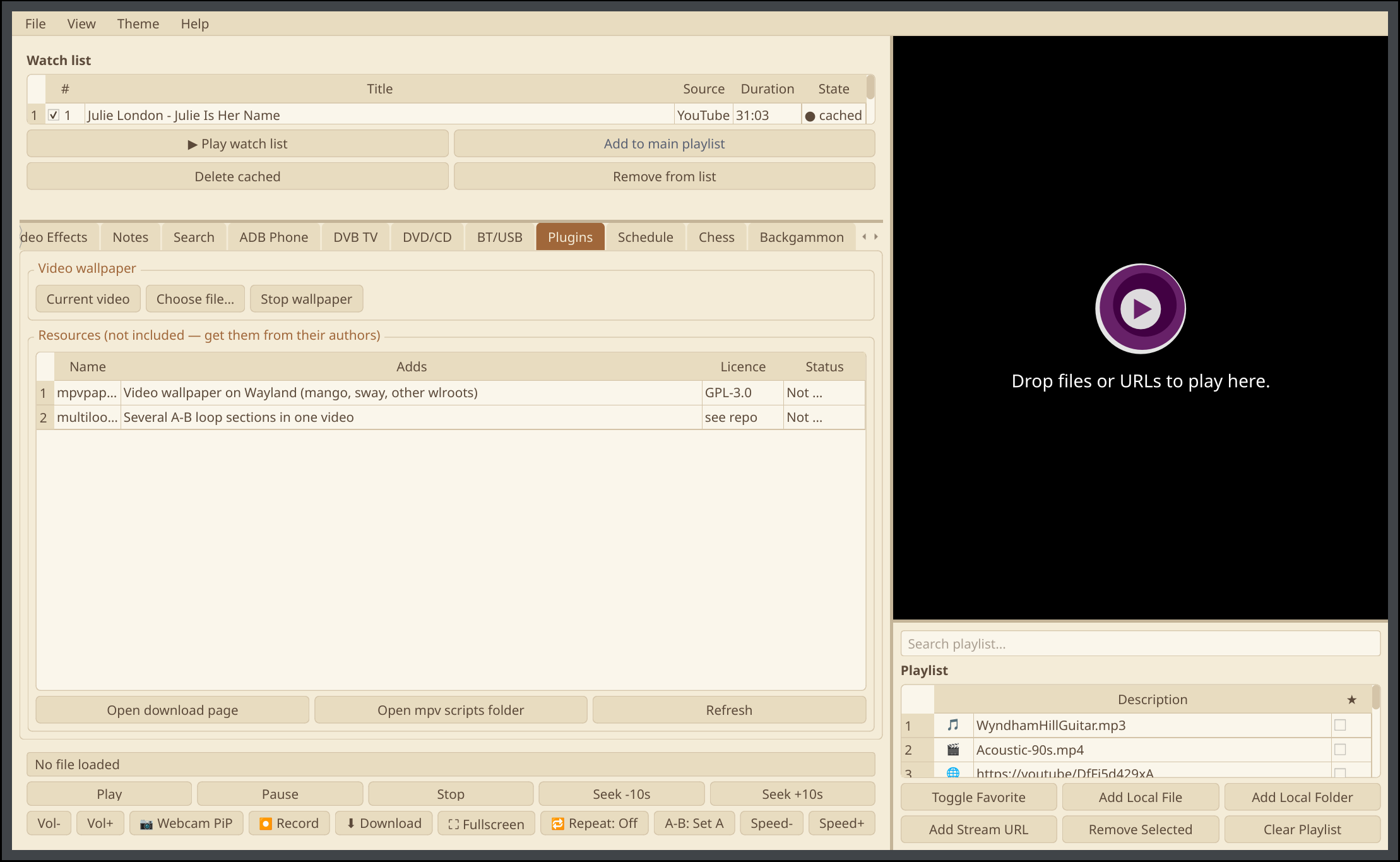
Play a video as your desktop wallpaper — the current video or any file — on X11, or on Wayland with mpvpaper. The Plugins tab also lists optional extras from other authors, such as several A-B loop sections in one video, with their licence, a link to get them and whether they're installed. Nothing third-party is bundled.
Games
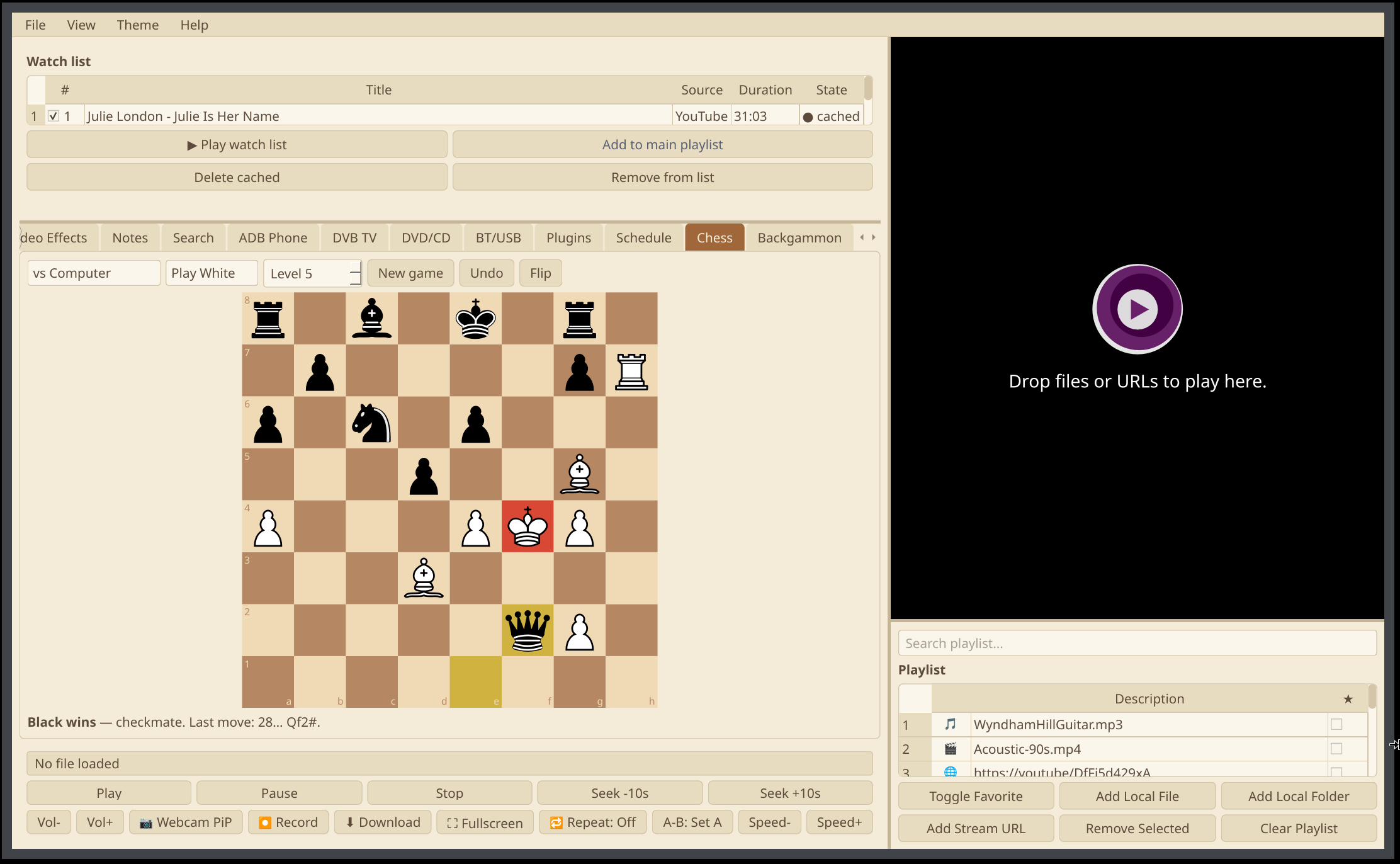
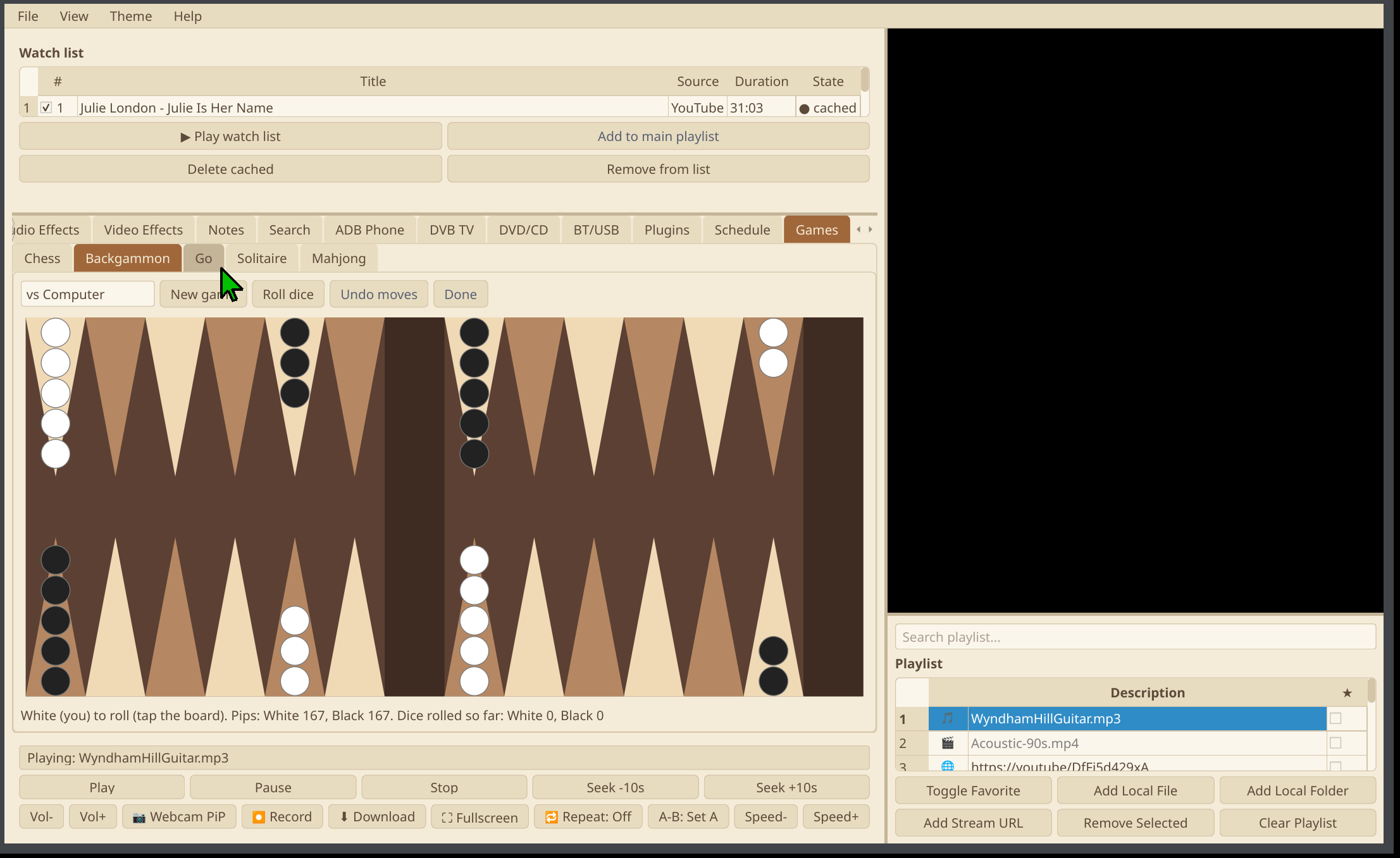
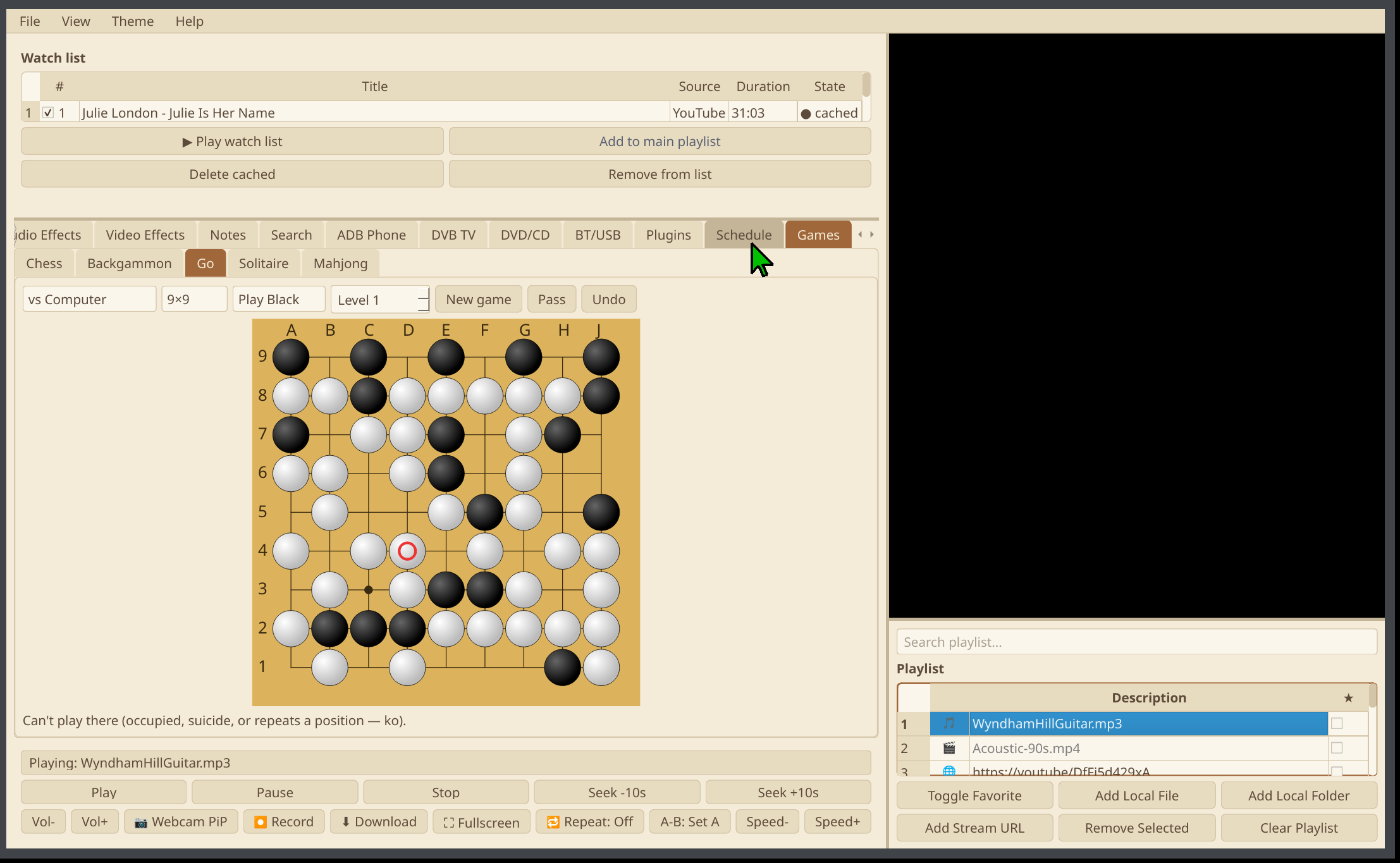
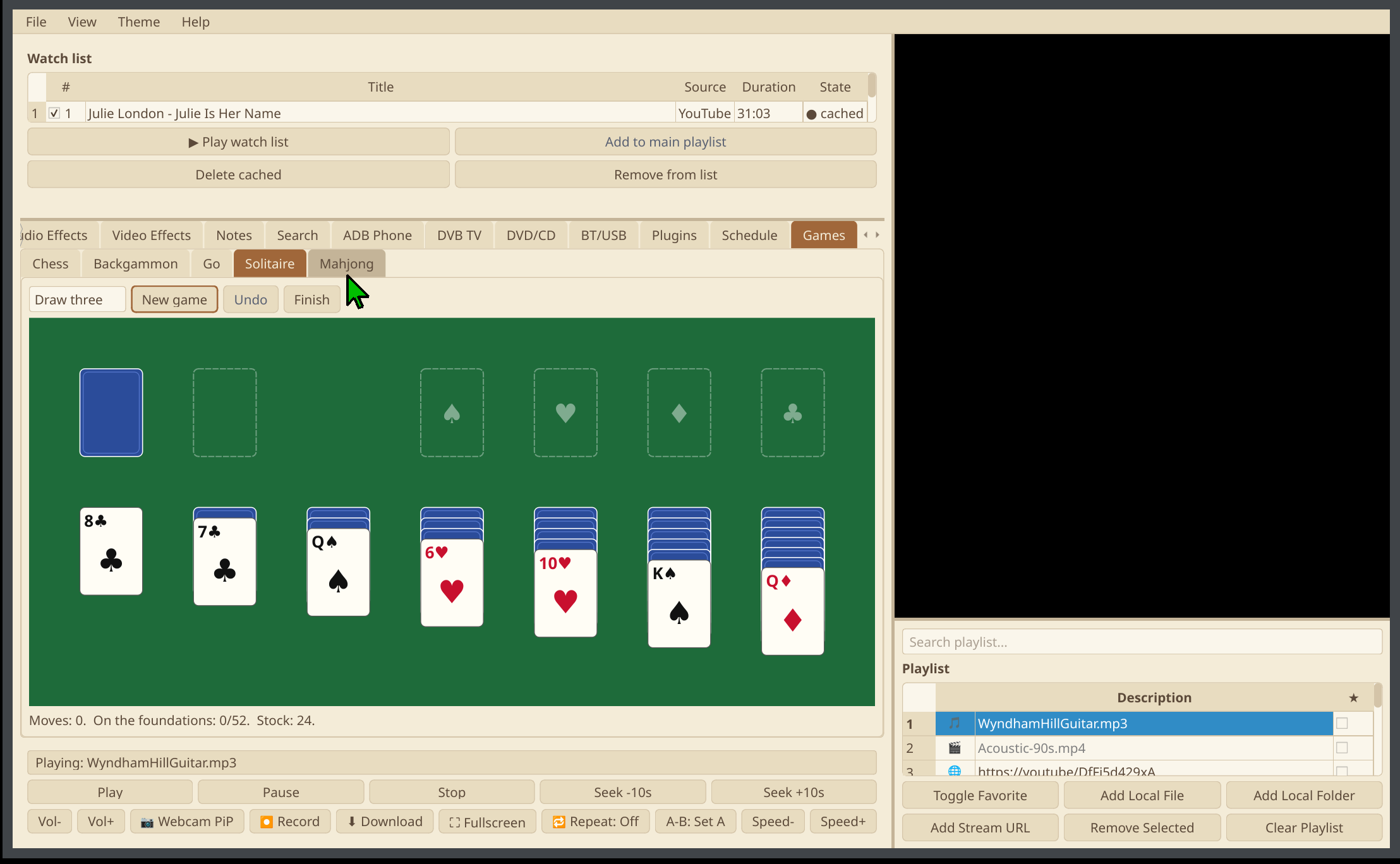
A Games tab with board, card and table games that play while your media keeps going: chess, backgammon, Go, Klondike solitaire, mahjong solitaire, battleship, tic-tac-toe, squares (dots and boxes), dice and Bounty Heist Football. Play the computer at the level you choose (Stockfish for chess, GNU Go for Go), two people on one screen, or a friend over the network. Every game keeps your scores. Turn-based games can also be played from anywhere through the remote desktop in TrXi-Ctrl. For real-time games, phones become the controllers: any number of phones running TrXi-Ctrl join over Wi-Fi or a USB cable, each with a joystick, buttons, Kick off and Pause, the live score and vibration.
Bounty Heist Football
An original football game, coming soon. © 2025 Marcos M Contant aka stemsee. All rights reserved.
Scoreboard
A big, touch-friendly scoreboard for real matches, scored by each sport's own rules: table tennis, badminton, squash, volleyball, tennis, darts, pool, snooker, football, hockey, rugby, basketball and more, plus any game with 2–8 teams. Numbers can also show upside down for players across a table. Also a chess clock, a stopwatch with laps and a timer.
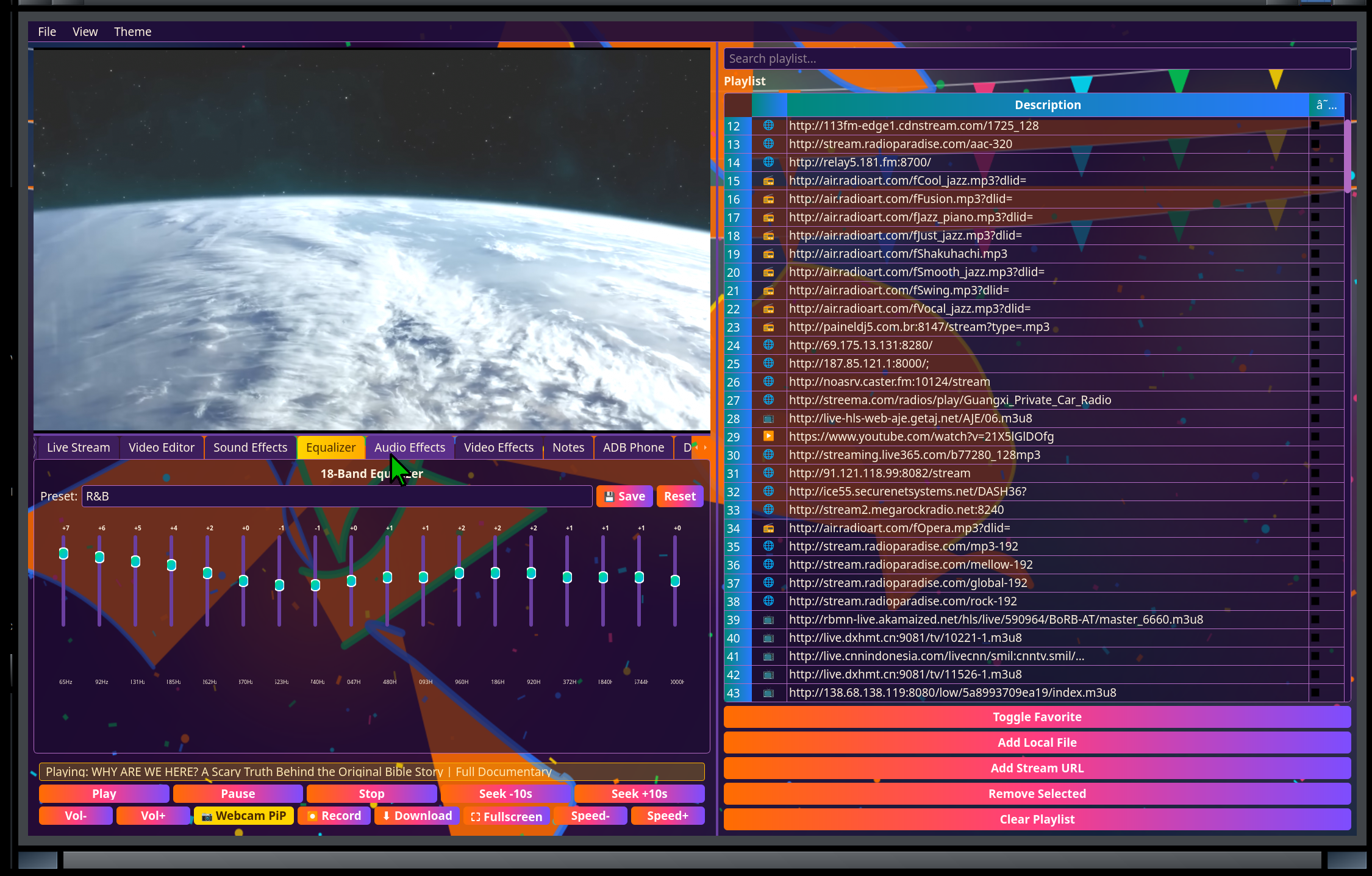
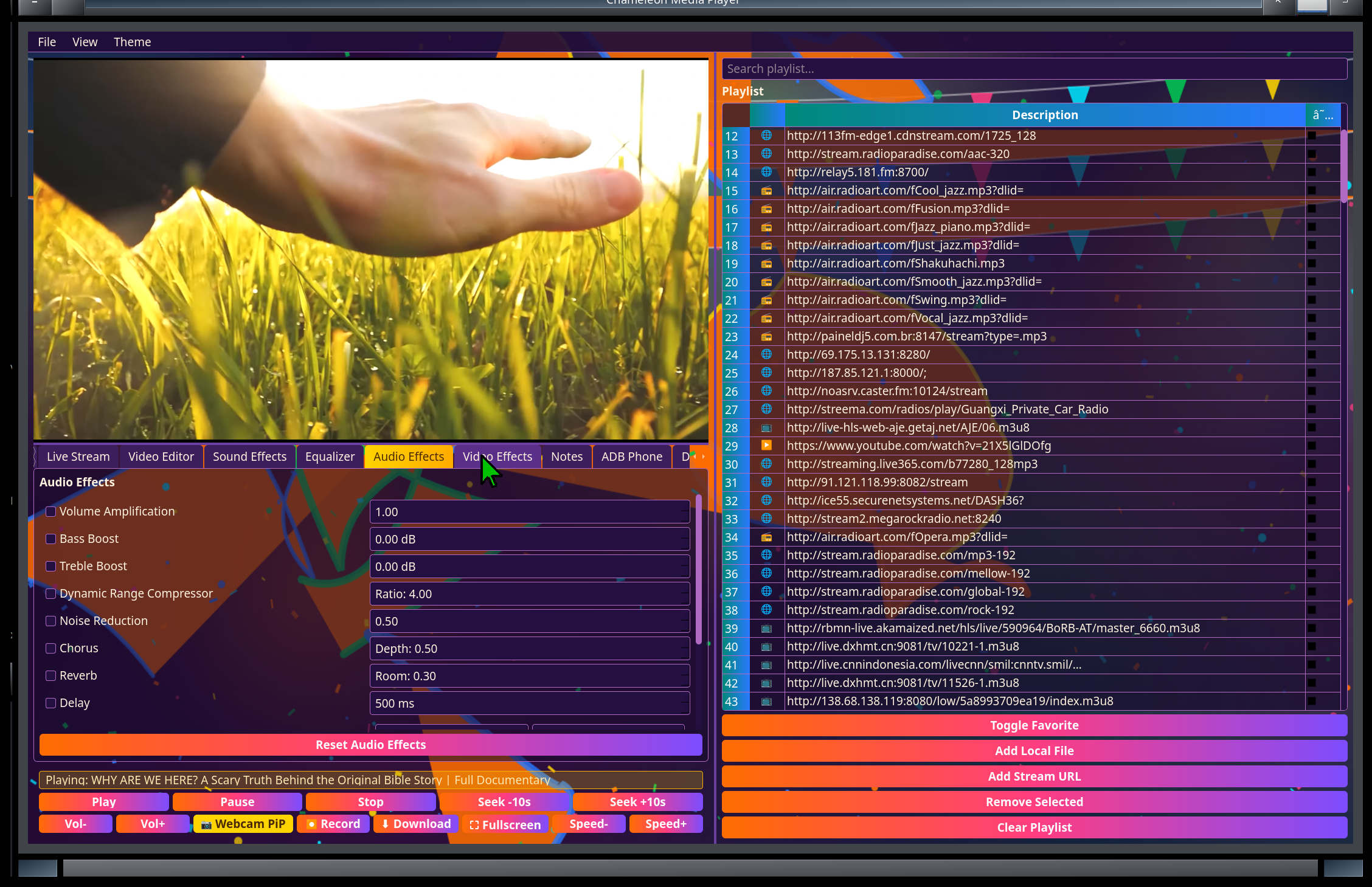
18-band equalizer & audio/video effects
Shape the sound to the room, or the mood, with presets you can tweak and save — plus audio effects and a dedicated video effects tab.
Notes
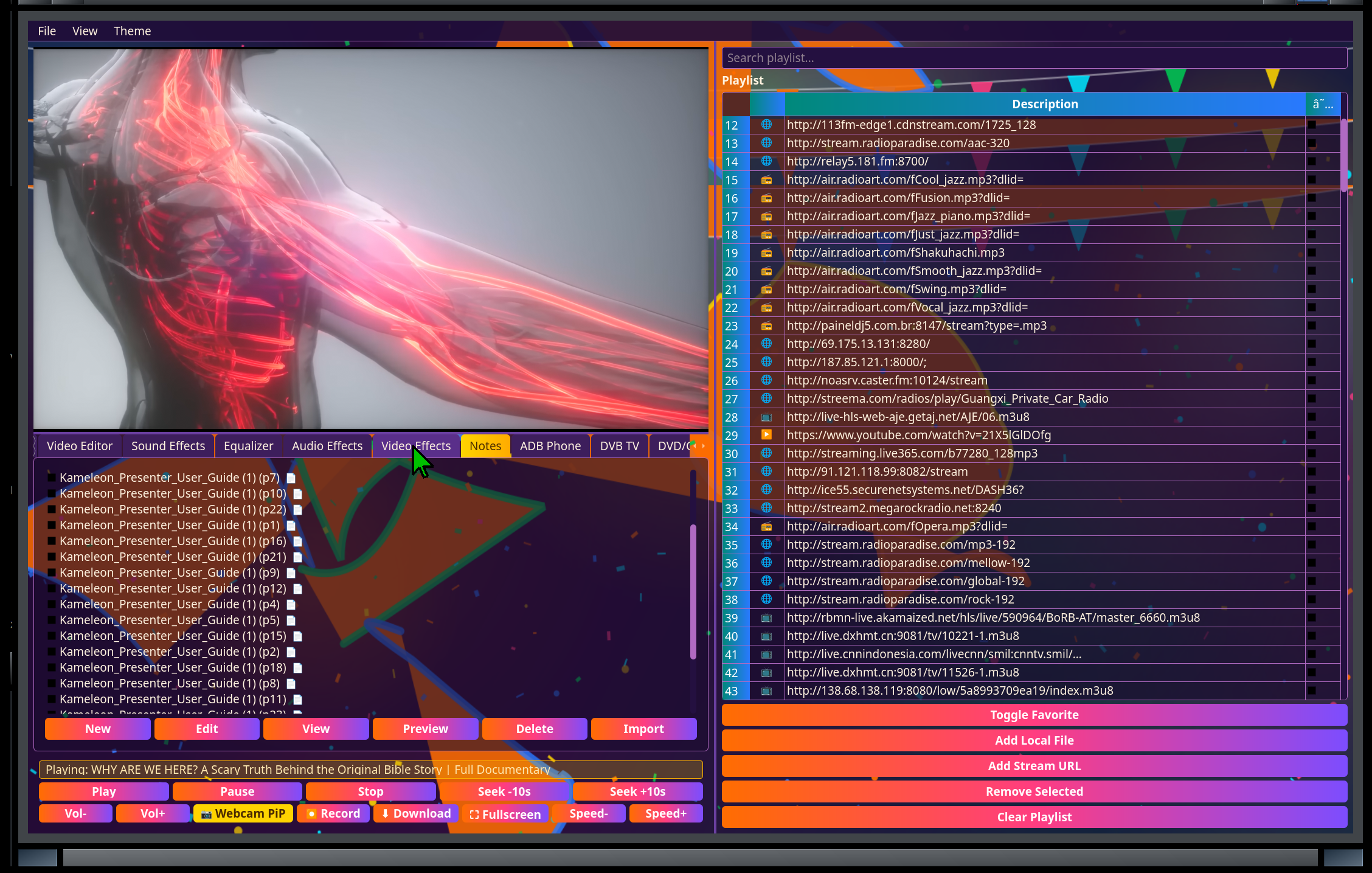
Typed or handwritten notes (stylus/touch-friendly) right alongside your media — useful for production/session notes while you work.
Lock, themes & preferences
Lock the window with a pattern (Ctrl+Alt+L), switch themes, and set your preferences — with built-in About and Help.
Remote control
Every play/pause/seek/volume action is exposed over mpv's own IPC socket, which TrXi-Ctrl — our free phone app — talks to directly for real transport control, not just a session list. Closing a session from the phone closes the whole app cleanly rather than leaving a half-dead player behind.
MCP server
A bundled Model Context Protocol server exposes playback status, play/pause/seek/volume/open and library browsing as tools — so an AI agent and your phone always see and control the same session.
Built on open foundations
PySide6 (Qt) desktop app, mpv playback engine
PySide6 / Qt
A native, responsive desktop UI — part of the same Python/Qt stack as the rest of the Chameleon AI desktop apps.
mpv engine
Embedded via mpv's own window-embedding and JSON IPC socket — the same reliable, widely-used playback engine behind many Linux media tools, with libdvdnav/libdvdread/libcdio/libbluray already linked in for disc playback.
PulseAudio-native audio routing
Multi-device output uses PulseAudio's own module-combine-sink; any capture source — Bluetooth receive or a USB audio device — loops in via module-loopback, checking first for routing PulseAudio's own Bluetooth policy already set up rather than fighting it.
Screenshots
Chameleon Media Center — captured live
Get Chameleon Media Center
Included with the Chameleon AI desktop. Distribution and availability are being finalised — contact us for current pricing and availability.
Contact us Control it from your phone with TrXi-Ctrl → ← Back to overview